Todd Bradley's Galaxy » Ahi - The Laptop DAW
Ahi - The Laptop DAW
Skip to the latest journal entry of if you are the really impatient type you can skip straight to a summary of lessons learned

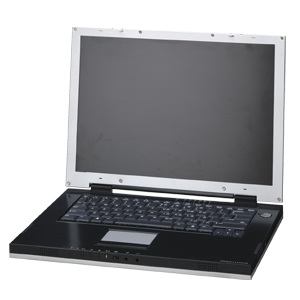

Mission: Attempt to create a digital audio workstation based on a modern (as of February 2003) notebook computer.
Background: I record and compose music on a computer. I have a computer that I call Anemone in my recording studio. It is based on a desktop Pentium II class PC, with some special components for audio recording. It runs Windows 98 and is a few years old. I wanted to upgrade my music computer to Windows XP. But to do that, I figured I would need a faster processor. And if I’m going to get a faster processor, I’d need a newer motherboard. At the same time, I’ve been wanting a notebook computer with a wireless LAN adapter so I could use it anywhere around the house. I decided to try to combine these ideas, and so my goal has been to find a notebook that could both be a “desktop replacement” and light enough to be easily toted around the house.
Notebook
I did lots of comparison shopping online and in stores. I’m not going to list all the PCs I looked into, but in the end, I narrowed the list down to these:
- Apple Powerbook G4 12”
- Extreme Notebooks Xtreme XG-6
- vpr Matrix 200A5
- Dell Latitude X200
But in the end, I didn’t buy any of them! No, instead I bought a vpr Matrix 185A5. Why? Well, I decided the Powerbook just wasn’t enough oomph for the moolah. I couldn’t get an answer out of Extreme Notebooks on which Firewire controller chipset they used. And the Dell was too small.
The vpr Matrix 185A5 is just like the 200A5 except it has a 1.8GHz processor instead of 2.0GHz, and 10 GB less hard drive. And, as I found out after I bought it, the Sonopur system is turned off (which isn’t a big deal anyhow).
So, I bought the 185A5. And I called it Ahi. As in the Japanese name for yellowfin tuna. You see, all the PCs in our house are named for sea creatures. We have Sponge, Anemone, Seahorse, and now Ahi.
Then I discovered the Firewire controller was defective. After a short but painful debugging period (see the journal below), I replaced the 185A5 with a 200A5, which was what I originally planned to buy anyhow. This new notebook DAW is also called Ahi.
Audio Interface
For the past few years, I’ve used a Yamaha DSP Factory, which is a PCI card. It plugs into an AdB AX-88, which gives me 8 analog inputs and 8 analog outputs. The DSP Factory also has a couple analog ins and outs on the card faceplate itself, plus SPDIF. It’s been a great setup, but has a couple problems. First, Yamaha stopped making the DSP Factory years ago, and AdB went out of business. Second, it only works with a desktop PC with a PCI slot. So it’s not an option for use with a notebook.
So what I’d really like is a audio interface that talks Firewire (also called IEEE 1394). That way I could use it out of the studio attached to a notebook, or in the studio attached to a desktop. Hopefully any PC I buy will have a Firewire port.
I did some shopping and learned some things. First, there aren’t too many Firewire audio interfaces to choose from. I found three worth considering:
- MOTU 828
- MOTU 896
- Presonus FIREstation
I decided to go with the 828. The 896 is more expensive and doesn’t add anything I really think I need. The FIREstation would be awesome (it’s less expensive and includes a MIDI interface, which with either MOTU unit I’d have to buy separately). However, you can only currently use 2 ins and 2 outs on the FIREstation with Cakewalk SONAR. I was open to switching to a different recording software package if I switched to a Mac, but if I’m going to stay on an Intel based computer I’m going to stick with Cakewalk.
After I got the MOTU 828, I had all kind of problems with it. See the journal below for the full scoop, but the short story is that I finally gave up on the MOTU 828 as being incompatible with my notebook’s Firewire controller.
So I returned it and bought an Echo Layla24 LapTop setup. Instead of Firewire, this uses a proprietary CardBus card to connect to the outboard rack unit. It has 8 ins and 8 outs like the MOTU 828, but it also has MIDI in and out. And I found one at Guitar Center that was “open box”. I got it for $530. So for $200 less, I got an interface that has generally the same specs plus a MIDI interface. So considering I don’t need a separate MIDI interface now, I’m really saving more like $270. Of course, 8th Street Music, whom I bought the MOTU from, charges a 20% restocking fee on returns of Firewire and USB interfaces. So I’ll lose $160 for returning it.
But the best thing is…the Layla actually works! I just plugged it in and it worked right off the bat. Well, I did have to do some tweaking of the settings in SONAR to be able to record 8 simultaneous tracks, but that was just a couple hours’ work, compared to the 3 weeks I spent trying to get the MOTU 828 to work.
(insert photo of Layla24 here)
Disk
One big limitation of using a notebook computer for recording music is hard disk access. The hard drive in the vpr Matrix spins at roughly 4000 RPM. The minimum speed anyone would want to use for audio recording is 7000 RPM, and 10000 RPM is ideal (that’s what is in Anemone, my current DAW). So I’m probably going to need to get an external Firewire hard drive. I didn’t know anything about such things, but I’ve been reading lots and getting advice online.
I read a good mini review in MacWorld for the Granite Digital Firewire hard drive enclosures, so I was leaning toward that.
But then I got to thinking about something that’s been worrying me - Firewire throughput. Being a long term PC user instead of a Mac user, the idea of using a hard drive outside your computer seemed pretty bizarre. And especially if you need good performance. You’re telling me this little cable is going to push through enough data such that an external hard drive will be faster than the internal one? Mac people have been doing this for years and insisted Firewire is great for this application.
So could I quantify my concerns? Let’s see. I’ll have a MOTU audio interface streaming 8 channels of at least CD quality audio (16 bits sampled at 44kHz per channel). That data is going over the Firewire cable into the Firewire controller, processed by SONAR, then back out through the Firewire controller to an external hard drive. Ahi has two Firewire connectors to attach two devices on two cables, but my assumption is that they both are on the same controller. And what’s the bandwidth of that controller? I don’t know, and I don’t know how to find out. But my gut feeling is it’s going to be a bottleneck.
Let’s do some back-of-the envelope calculations to see if we’re even in the right ballpark.
8 channels of audio = 8 * 16 bits/sample * 44 k-samples/second = roughly 5632000 bits per second
That same amount of data is coming in from the audio interface and going back out to the external hard drive. So we’re talking about twice that being processed by the Firewire controller.
2 * 5632000 bits per second = roughly 11 Mbps
Oh, this is probably a good time to talk about Firewire controllers. I’ve read that MOTU interfaces really aren’t compatible with Firewire controllers by NEC. So when I was shopping for the notebook computer, one of criteria became that I wouldn’t buy one with an NEC chip. I also read they work best with TI controllers. When I found that the vpr Matrix uses a TI chip, that pretty much settled it for me.
Now, I don’t really know anything about Firewire, but I’ve read it has a bandwidth of “up to 400Mbps”. So unless I’ve done the math wrong, I should actually be able to pull this off! And even have headroom to spare for recording at a higher bit depth and higher sample rate.
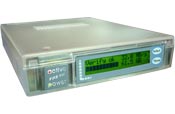
So I bought the Granite Digital enclosure and a Western Digital 180 GB 7200 rpm “Special Edition” (meaning it has an 8 MB cache instead of the usual 2 MB) drive.With this setup, I’m getting peak disk I/O of around 47 MB/s (wow) and, according to DSKBENCH, I should be able to stream over 150 audio tracks, which is way more than any project I’ve ever worked on.
Unfortunately, I can’t get SONAR to work with this drive in such a way to be able to record audio without getting dropouts. No matter what settings I use, I get dropouts when recording to this drive. See my journal entries below starting at March 22 for more details on this problem.
MIDI Interface
I originally wrote the following:
Now I need some way to get MIDI signals in and out of the computer. I did just a little shopping online and then ordered another MOTU product, the MOTU Fastlane USB. It’s a USB MIDI interface with 2 ins and 2 outs, which should be fine.
But then I returned the MOTU Fastlane along with the MOTU 828. I will use the MIDI interface built into the Layla24.
Software
Since I already owned a license and know it fairly well, I’m using Cakewalk SONAR 2.2. [Note: I’ve since upgraded to 3.0]
I’ve also installed CD Architect, Sound Forge 5.0, Musinum, Sound Raider, and my Hyperprism DirectX plugin pack.
My Ahi Journal
February 5, 2003
I started writing all the top part of this web page when I kicked off the project, before I actually had all the gear to start integrating. As you can imagine, there were some integration challenges, and the usual hiccups getting a new system working. Below is a journal of my problems and successes.
I’m waiting on the hard drive, Firewire box, audio interface, and MIDI interface to arrive. Once they get here, I’ll need to put it all together. I may want to buy a little rack case to put all this stuff in, so I can tote it around and record things outside my little studio, too. I guess my “recording rack” would need to hold the following:
- Power distribution (“Juice Goose” or something like it): 1 space
- MOTU 828: 1 space
- Shelf to mount USB interface and Firewire drive: 1 space (2 spaces depending on how thick the Granite Digital box is)
- Maybe a shelf to mount a headphone amplifier and 2 channel mic preamp
- Maybe my dBx 286: 1 space
So I guess I’m looking at somewhere between 3 and 6 spaces in a rack. Sounds like I should hold off buying anything until I have more information.
Meanwhile, I’m going to install SONAR and other music related software onto the notebook PC.
Wednesday February 12, 2003
I called Dirt Cheap Drives to ask where my hard drive and Granite Digital enclosure were. The order was placed over a week ago, and it shouldn’t take that long for these things to get here from Texas. They said the Firewire enclosure was out of stock and they’re waiting for more. “Why didn’t you bother to tell me?” I thought of asking, but didn’t. I canceled my order, instead.
Ordered a Granite Digital enclosure from a different company, delivered FedEx overnight.
Thursday February 13, 2003
Bought a 200 GB Western Digital drive at CompUSA, in anticipation of the Granite Digital enclosure arriving tomorrow.
Saturday February 15, 2003
Now we start the sad tale of my Firewire controller:
All the parts for my portable recording system arrived, and I spent Friday night building a Firewire drive. It’s got a Western Digital 200 GB drive inside a Granite Digital enclosure. Should be very nice. Also, I unboxed the MOTU MIDI and audio interfaces, and mounted the audio interface (the 828) in a new rack case I bought.
As soon as CompUSA opened, I went there and bought the necessary 4 pin to 6 pin Firewire cables, since I didn’t have any. The notebook has a 4 pin connector (missing the 2 pins for power) and the hard drive and 828 have 6 pin connectors.
I figured it would be a simple matter to just plug everything in and go. I couldn’t have been farther from the truth. I started with the hard drive. Plugged it in. Nothing happened. Cycled power on both the notebook and the drive enclosure. Nothing happened.
Deleted the Firewire device driver. Rebooted Windows. Watched the driver get reloaded. Still no connection to the drive.
Called vpr Matrix tech support. The told me to do the same thing I’d already done. So I did it again, just to be a good little customer. Got the basic answer of, “If the device driver loads, that’s where our responsibility ends. It must be either an issue with compability between your notebook and the hard drive, or you’ve installed some other software since you bought the PC that’s interfering with the Firewire.
I didn’t believe either of those, really. But I installed the Restore CD anyway, which reformatted my hard drive. So I lost all the configuration I’ve done and programs I’ve installed since I bought it.
Tried the Firewire drive again. Nothing. Installed the 828 drivers. Nothing. Still can’t get either Firewire port to work with either Firewire device.
Went to the Granite Digital website for advice. Learned that Windows XP doesn’t automatically detect the drive and format it, but that you need to go to the Disk Management section of the Computer Management application, then partition and format the drive from there. Found that the drive didn’t show up there, either. Downloaded a program to browse the 1394 bus. The program saw something at the end of the cable, but couldn’t figure out what it was.
So I figured maybe my cable was too long, so I bought a shorter cable. Still nothing happened. So I figured maybe it was a power issue. Maybe the drive and the 828 require a Firewire connection with power even though they shouldn’t. So I bought another cable, a PCI Firewire controller, and a powered Firewire hub. Tried to connect the notebook to the Firewire drive through the hub. Nothing happened.
For comparison, I installed the PCI Firewire card in my desktop machine. It recognized the hard drive and the 828 instantly without problem. So I know the devices are good, and something’s up with the connection.
By the end of the day, the total damage was about 8 hours of debugging time, 1 hour with Tech Support, 1 hour driving back and forth to CompUSA and Best Buy, and 1 hour of cursing. Plus around $150 of Firewire gear that I didn’t plan to buy, but needed just so I could do an A/B comparison with another controller.
Sunday February 16, 2003
Drove to Best Buy with my Firewire drive. Asked for permission from the computer department guy to plug it into the floor model vpr Matrix notebook (which is a 200A5, not a 185A5 like I have, but that shouldn’t matter since they have the same motherboard). The drive was immediately recognized and mounted automatically. Clearly something is wrong with my PC, since it works with another vpr Matrix.
Asked the computer department guy what to do. He said bring it in for service. If they can’t fix it, they’ll give me a new one. I asked if they have any in stock, and he said they don’t. He checked the Westminster store and they don’t have any in stock either.
Drove home and called the tech support line again. Counted 5 different phone menus one must navigate before getting to the vpr Matrix notebook tech support line. Got a gruff technician on the line who started off by accusing me that it was my fault (which I’m learning after 3 tech support calls is their Standard Operating Procedure). He said my drive wasn’t working because my notebook has a 4 pin Firewire and the hard drive has 6 pin. I told him the vpr Matrix in the store works fine with this exact configuration. Had to explain it twice before he shut up and realized that this means my specific PC is hosed. He recommended to take it in to service and have them look at it, but service is closed on Sunday.
Called Best Buy in Broomfield to confirm the service department is closed Sunday. Navigated the phone system to get the service department. No answer, no voicemail. I guess that means nobody’s there. Gotta wait until tomorrow, I guess.
I thought of just biting the bullet and buying a PCMCIA Firewire card. I saw them for about $70 with 3 full size (6 pin) connectors. All the time I’ve spent trying to get this to work is definitely worth a lot more than $70. But there’s the principal of the thing. I settled on this computer to buy partially because it had 2 Firewire ports on it. So I really want to get them to work, rather than buy another card as a workaround. Plus, I’m trying to conserve weight.
Project on hold until I can get the Firewire controller issue resolved…
Monday February 17, 2003
I took the notebook into Best Buy this morning. Their notebook technician gets in at 1:30 PM, and will take a look then. If it’s not something they can fix in-store, they’ll send it to a repair shop in Aurora. That’ll take 6 to 10 business days, I think the guy said. I said that if they can’t fix it in store, I’d rather just exchange it for another one that works. However, since their exchange policy for notebooks is just 14 days and I’ve owned it for 18 days, they won’t let me do that. So I have a feeling I’m not going to have a working notebook for another two weeks. I have fallen into a state of deep despair.
Wednesday February 19, 2003
Things have gotten much better! Yesterday, I called the Best Buy service department to check up on the status of my PC. They said they would look at it in the afternoon. I called back before leaving work, and talked to Stephen who told me he was embarrassed to say he didn’t have any Firewire devices to test it with. “Could you possibly bring one in for me to test with?” he asked. I said I’d be glad to. So I did. He quickly agreed with me that the Firewire controller was hosed. And, in the smartest move yet by anyone in the Best Buy service organization, he told me it just wouldn’t make sense to send it to the repair depot, because there’s nothing they could do either. The only repair for something like this is to replace the motherboard.
So he said that even though the 14 day exchange period was expired, I should exchange it for another. Unfortunately, they didn’t have another 185A5 in stock. They did have an open box 200A5 that somebody had returned. So I paid them $100 and took the better model home. It runs fine, and has only two nearly invisible scuff marks. So I’m back in business. I’m now reinstalling software, and I’ll soon get to the point of testing it out with my Firewire hard drive and audio interface. Hurray!
Saturday February 22, 2003
I got a bit of time to work on Ahi some today, though not as much as I wanted. For the first time, I tried running Cakewalk SONAR 2.2 on the notebook, using the MOTU 828 as the audio input and output device. I had an issue with that that took a while to sort out.
With the MOTU 828 plugged into Ahi, I noticed that there were random clicks on the analog inputs. These clicks were definitely audible, and were also visible as the input LEDs lit momentarily when they happened. They happened intermittently on all the input channels. For comparison, I tried the MOTU 828 on my desktop machine and the clicks didn’t happen. After a long process of elimination, I determined that the cause of these clicks was not the cable length, the version of SONAR I was using (I tried both 2.2 and 2.1), the drive I used (I tried MME, WDM, and ASIO), the software-controllable settings on the MOTU (sample bit depth, buffer size, sampling rate, etc.), or the buffer settings in SONAR.
So what does that leave? Well, there’s the fact that it’s a notebook computer. It seemed like a long shot, but I had a hunch at this point that the problem could be the power saving settings. So I set the power settings in the Windows control panel to “Always On”. That was it! The problem suddenly went away. So my guess is the Intel Speed Step thingy somehow causes noise on the Firewire controller that somehow causes spurious clicks on the MOTU 828.
With that resolved, I set all the settings back. I’m now running the WDM driver, which shows that I’m getting 2.2 ms latency, which is pretty darn good compared to any other audio interface I’ve ever had!
Just for grins, I also downloaded and ran Catena’s DSKBENCH program. This is a Win32 program that runs at the command line, and it tests out hard drive speed and then estimates how many audio tracks you should be able to stream to and from that drive. I intentionally formatted my external Firewire drive with a large cluster size, to get better performance when working on large WAV file. But I had no idea I’d get such great DSKBENCH results! According to Catena, I should be able to stream somewhere between 140 and 180 tracks. Wow! That’s about 10 times more than I have ever used on any project in the past, so I apparently have lots of room to expand in that area.
Sunday February 23, 2003
Looking back over my journal notes, I see that I never really stated that I did get a rack case. In the end, I decided to get a 6U SKB case. It’s the same style as my 10U case that I use for all the gear we take with us to gigs. Now I’m kinda thinking that maybe 6U was overkill for what I need to put in there, but we’ll see. Right now, here’s what I’ve got, from top to bottom:
1: Juice Goose power distribution 2: MOTU 828 3: empty 4: rack shelf, ultimately for the Firewire drive and possibly a mic preamp 5: empty 6: dbx 286 mic preamp/compressor/de-esser/enhancer/noisegate
For ease of use considerations, I may put a patch bay in there, so I can easily plug stuff into the front, rather than having to dig around in back too much. That’s today’s project.
Saturday March 1, 2003
Another week goes by and this thing still doesn’t work right. It’s been almost a month now that I’ve been working on this project, and I still have problems.
First, though, Byron came over last Sunday afternoon and helped me do some rack mounting type stuff. So the whole kit fits nice in my 6U rack case. The actual layout is:
1: Juice Goose power distribution 2: MOTU 828 3: empty, with blank faceplate 4: Firewire drive and Blue Tube mic preamp 5: patch bay 6: dbx 286 mic preamp/compressor/de-esser/enhancer/noisegate
I’ve got it wired at the moment so just about everything is accessible from the front or back.
Mid-week, the headaches began again. Wednesday or so, I started thinking about how I needed to test out the whole system for a while before inviting Scott over to record stuff for the new CD. So I tried recording 8 simultaneous tracks. Two of the tracks were just an output from my Karma keyboard, and the other six were just dead air. I recorded for an hour or so and then came back to see what I had.
Well, the recording had stopped on its own, even though there was still plenty of disk space left. But more disturbing was the fact that I had clicks on the recording. These were like the clicks I had before I turned the notebook to Always On. They only happen on odd numbered channels, for some reason - 1, 3, 5, and 7. So I spent several hours trying every combination of software and hardware settings to try to eliminate the noise. I played with the Intel SpeedStep, turning it off in the BIOS. I messed with all the device drivers for the MOTU (MME, WDM, and ASIO) and with the latency settings and the buffer settings. Some combinations of those settings made the system not work at all. But the ones that did work still gave me this digital noise.
So, I threw up my hands and decided it must be the Firewire controller on my notebook. I went to CompUSA on Thursday and found they had 3 PCMCIA (“CardBus” as they call it nowadays, I guess) Firewire controllers. I bought the cheapest one, from SIIG, and brought it home. Well, I plugged it in and Windows XP recognized it, but the drivers wouldn’t correctly load. I checked SIIG’s website and found that they know about the issue (Error 10, whatever that means) and have no workaround for it.
Friday, I drove back to CompUSA at lunch and exchanged the SIIG card for the next one up in price. That card is from Western Digital. After work, I came home and installed it in my PC. This time, the card installed just fine into my notebook. But when I went to record audio from the MOTU, it got nothing. SONAR looked like it was recording, but nothing got put to disk. I checked the driver and found that the Western Digital card has the NEC chipset, which I already know from MOTU is incompatible with MOTU’s Firewire devices.
I was all set last night to run out and return the Western Digital card for another brand, but I decided to let my fingers do the walking. I figured I should do some research online to find out what brand of CardBus Firewire controllers use the TI chip, and of those, which can I buy locally. Here is what my research showed me:
NEC Chipset Western Digital (CompUSA) Belkin (Best Buy) Adaptec (CompUSA)
TI Chipset built in controller on vpr Matrix (records clicks and pops) Star Logic (sold by Circuit City supposedly, but website says out of stock) FireWireDirect (sold online) IOGEAR (Compusa.com, but out of stock)
VIA Chipset SIIG (CompUSA, uses VIA chipset - incompatible with my notebook)
Of all the local stores that might carry a CardBus Firewire card, they are either out of stock or they only carry cards that don’t work with my setup. I’ve now tried three different Firewire controllers with various unsuccessful results. So, for the first time, I’m seriously starting to think that the MOTU 828 wasn’t the way to go.
I have two days to decide if I want to return the MOTU to the online store (8th Street Music) I bought it from, before the 30 day return policy runs out. If I do return it, I’ll have to pay a restocking fee.
Last night I posted a message to the MOTU PC user group (since MOTU tech support had closed long ago) asking if anyone else out there used a CardBus Firewire controller with an 828. So far, I haven’t gotten any responses, so as far as I know, I’m the only one in the world who has tried to make this work.
I also went back to the drawing board with shopping. Maybe Firewire is just to delicate a technology on PCs, I thought. Perhaps I should look at other alternatives. The best one I found seems to be the Echo Layla24 LapTop. This is a 1U interface box much like the MOTU, though it also has MIDI I/O. It connects to a CardBus slot via a proprietary card that comes with it. The whole package goes for around $700 street price. That’s less than the MOTU 828 cost me, and way less if I have to buy a new Firewire card for my notebook. Plus, it eliminates the need for the $70 USB MIDI interface I bought. The only downside is that it’s a proprietary interface and I could only use the Layla24 with my notebook. But maybe that’s not too big of a restriction.
So today’s mission is to take back the Western Digital Firewire card, stop by Circuit City and Best Buy just in case they have notebook Firewire cards that their websites don’t know about, and then visit Musicians Superstore and Guitar Center to see if either has a Layla24 LapTop in stock.
Wednesday March 5, 2003
Well, let me catch up on everything that’s happened since my last entry.
First, I found that Guitar Center had an Echo Layla24 LapTop in stock. Not only that, but it was an “open box” and was missing the free copy of Steinberg Cubasis VST and the device drivers. No big deal, I guess, since I’d probably never use Cubasis anyhow, and I could download the drivers from the website. So when Chris at Guitar Center said he could sell it to me for $528, I had to take it. That’s $180 off the list price. That was last Saturday. I took the box home, set up the Layla, and had it all working in less than an hour. Wow, what a difference from the headaches I had with the MOTU 828!
Sunday, I pulled the MOTU out of the rack, put in the Layla, and re-attached all the cables. Then I set about doing a dry run of recording. I recorded for a long time with no audio glitches. So I cranked it up and tried recording a full 8 tracks simultaneously. I did find some problems there, but found that they went away when I increased the “Mixing Latency” setting in Cakewalk. So now I can do what I’ve been trying to do all along
- record 8 tracks of audio on my notebook. I’m all set to go to Byron’s and lay down some tracks for the next 404 Not Found CD.
Now I need to return the MOTU. I bought the MOTU 828 and MOTU Fastlane from 8th Street Music, online. Checking out their website, I found that they charge 20% restocking fee on returns of Firewire and USB devices. I guess that’s just the price I pay for this grand experiment. Anyhow, I emailed them on Saturday with all the details of my order, and asked for a return number. I never got a response to I wrote again on Monday. I got an email reply saying, “Call us.” So I did and the guy listened to my whole sob story and said he’s send a return authorization.
8th Street has been a generally good online store to buy from, but it really irritates me what they did. Their website gives an email address to get return authorizations, and lists specifically the information they need to process it. I followed their instructions exactly, writing out a detailed email with all the info they say they need. So then, of course, they wrote back to say I have to do it by phone after all. Why is it companies do that - give you an email interface and then you have to call them anyhow? It reminds me of my unhappy experience with Advance Design of KY.
March 22, 2003
It’s been a while since I had anything to write here. Today we start recording sessions for the new 404 Not Found CD. We set everything up last night and practiced recording to SONAR on Ahi. We just did 4 tracks for the 4 drum mics. The recording seemed to go OK but on playback I’d get the dreaded red DROPOUT message once in a while. I bumped up the mixing latency slider and still got it. I’m not sure why this is happening to me all of a sudden. But I know I should’ve spent more time testing multitrack recording and playback. Hopefully things will hold together this afternoon.
Also, yesterday I got the infamous $250 digital audio cable for the vpr Matrix 200A5. It’s related to my use of this notebook computer for music, but I’m mainly doing this as an experiment to see if I can build my own cable, since I can’t understand how they can charge $250 for a cable and still keep a straight face. So I’m going to set up a separate page for my experiments.
March 26, 2003
Well, it’s been another period of intense experimentation, high frustration, and several lessons learned.
As my previous post foreshadowed, things went poorly at my band’s recording session last Saturday (March 22). Every time we tried to record something, I got the DROPOUT indicator and a dialog box saying something like, “Unable to save audio. Disk may be full.” But the disk wasn’t full. In fact, it’s got nearly 200 GB free. So I dug in and found that I’d left SONAR’s Audio Data directory set to be on my C: drive. That’s the local drive on my laptop, which is too slow (or so I thought until several days later) to support recording 8 tracks of audio. So I changed my global settings to use my E: drive, which is the Firewire drive, and copied the project file over to E:. I even deleted all the short clips of aborted audio, and started over. But I got the same error every time. The red DROPOUT indicator and the dialog box about “Unable to save audio.”
So after putzing around with it for half an hour, we gave up and recorded on ADAT instead. I was frustrated. I bought this expensive portable recording setup with all this top shelf gear, and it’s so unreliable that a 10 year old ADAT is superior.
After I got home that evening, I went back into troubleshooting mode. What I found amazed me.
First, I discovered something strange about SONAR. If your project has recorded audio clips in the past, SONAR will ignore the setting for the Audio Data directory and put its WAV files in the same place as the old project. Since I had just copied the existing project and not created a new one from scratch, SONAR was trying to record to my C: drive instead of my E: drive. This was contrary to what I told it to do. So my first lesson was to start a new project if you want to use a new Audio Data directory.
Then, hours or days later, I found that when I’d get a dropout, SONAR would somehow overflow my Firewire controller or the drive attached to it. I had originally had the Firewire drive configured for “quick removal” rather than “performance”. That just means that it wasn’t doing write caching. Once I changed that, Windows started using a write cache for that drive. And when I told SONAR to use the Windows cache for recording, I then no longer got the “Unable to save audio. Disk may be full.” errors. I would still get dropouts with the red DROPOUT indicator, but not the error dialog. So I figured I was moving in the right direction, peeling away layers of the onion.
Then I spent every waking hour tweaking every configuration parameter I could find. I messed with the bit depth and sampling rate of the audio, the driver used (WDM, ASIO, or MME), the mixing buffer size, the audio buffer size on the Echo Layla24 control panel, the read and write cache settings, and so on. But no matter what settings I used, I would still get dropouts on recording.
I posted my story to the SONAR newsgroup and someone asked what happened when recording to the internal hard drive instead of the Firewire drive. I wrote back that it didn’t work because it wasn’t fast enough. I had tried that once or twice and gotten dropouts, so I gave up there. However, as I thought about this guy’s post, I thought I should dig into it a little more. So I did, and I found that I can indeed stream 8 tracks of audio to the internal drive. I’d thought this drive was too slow for it, but actually, once things get going, the disk meter in SONAR stays at around 1%.
So the internal hard drive on my laptop is good enough for recording 8 channels of audio after all! Why did I bother spending $500 for the Granite Digital Firewire enclosure and the top of the line drive to go inside? I should have saved the money and just used the internal drive.
The only problem is that sometimes when I start recording in this configuration, I do get a dropout after only about 3 seconds of recording. The other times I’ve tried it, though, I don’t get any dropout for as long as I let it run. It’s gone up to 1 hour 24 minutes without a problem, which is definitely longer than any song I’m planning to record!
How often do I get the initial dropout? Well so far I’ve run this test 6 times and had the dropout 2 times. I’m guessing that I may be able to tweak the I/O Buffer setting in SONAR to get it to be more reliable. Also, I don’t know for sure that there are no audible dropouts. All I know is I’m not getting the DROPOUT sign. My next steps will be to tune the settings to try to eliminate the “3 second dropout” and then record some real signals and listen for dropouts. Then I’m going to decrease the mixing latency to see how low I can go.
April 6, 2003
Over the past couple of weeks, I did get recording working well. We transferred about 40 minutes of audio from Byron’s ADAT over to my notebook. Now I’m ready to do some basic mixing and then start adding more tracks. I took Ahi up to the mountains with me this weekend, hoping to get some work done on it, but found something that made me sad.
For some reason, when I play sound from the built-in sound card, it only comes out the right speaker. And when I plug in headphones, the sound only comes out the left side. That’s right, I said left, not right. Weird, huh? So I wasn’t able to do any mixing in the mountains. This evening, I uninstalled and reinstalled all the drivers, and that didn’t help. So I talked to vpr Matrix tech support.
After a half hour of tech support decision trees, the support person decided it must be a hardware issue. She said I could send it in and they would replace the sound card. It would take 7 to 10 business days, she said. Having seen horror stories about how long vpr Matrix support really takes, I’m not sure I want to send my notebook away at all. So I wrote down my case number and told her I’d think about it.
[Note, after I wrote this, I got a message on one of the vpr Matrix forums that it only takes a really long time if you take the laptop into the store and have them deal with it. If you get vpr Matrix to send you a box and you ship the computer directly to them, it really is as “quick” as they say. So I guess I’ll have to try that sometime now.]
I’m strongly considering buying an Echo Indigo sound card to use at those times when I’m not using my Layla24 LapTop. Part of me says that would be less hassle than getting the built in sound card working, but then I’m also thinking about what that means. I chose this notebook PC over the competition because of the high quality sound features and the Firewire interface. Since then I found I couldn’t use the Firewire for controlling an audio interface. Then I found I can’t use the Firewire to control an external hard drive without getting audio dropouts. So I’m not even using the Firewire feature at the moment. Then I found the digital audio features don’t work. And now the analog audio doesn’t work either! Arrgh!
April 8, 2003
I went ahead and ordered the Echo Indigo from 8th Street Music. Should be here next Monday.
April 14, 2003
The Indigo is here. I got it installed in just a few minutes and already mixed my first track on it. Well, mixed as much as I can on headphones, at least…
June 17, 2003
Well it’s been a long time since I’ve had anything to write here. The Echo Indigo is a champ. I did rough mixes a long time ago of all the tracks for the new 404 Not Found CD that I have on the PC, but haven’t done any more recently. But now I’ve discovered something that is stranger, more bizarre than anything I have yet to encounter on my vpr Matrix 200A5.
I had the grand idea to start experimenting some with softsynths - software synthesizers. Cakewalk SONAR comes with a few basic ones, and I bought some software that allows you to use VST plugins and instruments in DX plugin apps such as SONAR. And so I’ve downloaded a couple VST instruments from the internet. I’ve had an idea that I might be able to replace my hardware synth (the Korg Karma) with a smaller, lighter MIDI controller keyboard and software synths.
Anyhow, through experimentation, I found that playing softsynths on my laptop wasn’t the bee’s knees, because I get audio “glitches” once in a while. I’ll just be playing along normally and all of a sudden the sound will crackle or drop out or be replaced by static. That’s certainly not acceptable, and has been a showstopper in me switching from the Karma to softsynths.
However, I decided to do some experimentation to see if I could make these audio glitches go away. So I broke out my notebook and went into the detailed troubleshooting mode that you probably know I’m capable of if you’ve read this far. I tried different softsynths and the glitches remained. I moved from a physical MIDI controller to MIDI Ox and MIDI Yoke NT, but still had glitches. I switched from the WDM driver to ASIO driver and they remained. I switched from SONAR to a program called Forte, which is a dedicated DX/DXi host, and the glitches still remained. I tweaked the buffer and latency settings for the audio interface - no change.
So then I started asking myself, “Is there a pattern here?” And since my brain seems to be naturally adept at finding patterns in things, I did notice one. Actually two. The first pattern is that when these audio glitches happen, they come in bursts of 4. I noticed from listening long enough, that there will be a long period where the softsynth sounds just fine, and then suddenly there will be 4 of these crackles, separated by about 2 seconds each. I noodled on the keyboard a long time and found that it’s always 4 glitches in a row, never just 1 or 3 or 5. Always 4.
I played some more and played some more, and found an even stranger discovery. The pattern of 4 glitches is always separated by 68.5 seconds. For the rest of the time, the softsynth sounds fine, but then every 68.5 seconds
- consistently! - the glitches appear. I couldn’t believe it, but I took accurate notes, and the glitches are always about 68.5 seconds apart.
So I did some more tweaking. I changed the buffer/latency settings again - same thing. I changed what softsynth I was using - same thing. So then I got to wondering what would be the effect on playing just regular recorded audio. So I switched from Forte over to SONAR. I loaded up a song the band had recorded some time ago, and played just that. I got an the dreaded AUDIO STOPPED and DROPOUT indicators and noted the time, then continued playing. Then I got another AUDIO STOPPED, and it was 68.5 seconds after the first one! I tracked these for a while and found that every 68.5 seconds, SONAR gives me an AUDIO STOPPED message. So I tweaked the mixing latency slider in SONAR and found that when I turn it up some, the problem goes away (not surprising). At a mixing latency of 8.7 ms and 11.6 ms, I got dropouts. When I turned it up to 152 ms or 24.7 ms, there were no dropouts.
I then set my SONAR latency back to where the dropouts occur, turned off the one nonessential program that was running, unplugged my LAN connection, and changed some BIOS settings - turned off Speedstep, Resume on Modem, and Wakeup from LAN. I rebooted and still got dropouts. So then I switched from using the Indigo audio interface back to the Layla24 interface. Booted up, started SONAR, and got the same thing - AUDIO STOPPED every 68.5 seconds.
So, I have determined this:
SONAR mixing and playing audio Softsynth in Forte
Latency too low DROPOUT and AUDIO STOPPED every 68.5 seconds Sequence of 4 audio glitches every 68.5 seconds
Latency higher normal behavior, as far as I can tell Sequence of 4 audio glitches every 68.5 seconds
What in the world happens on my laptop every 68.5 seconds to cause this? I’m not sure. I’m not running any background programs, as far as I know. I cleared all those out long ago. Could it have something to do with the CardBus controller? Or maybe the hard drive resynchronizing itself or something? One piece of advice someone gave me long ago regarding the Firewire problems I was having (see above) was something about turning off temperature calibration on my hard drive. Could that be it? I’m stumped, but I’m proud of myself that I pinpointed the pattern of behavior of this stupid thing.
Oh, one other thing that’s happened since my last journal entry - vpr Matrix has announced they are discontinuing development of their own line of notebook PCs. I guess Best Buy’s other notebook suppliers got grumpy that they were selling the vpr Matrix notebooks for prices under the name brands, and Best Buy caved to the pressure. So there won’t be a successor to my vpr Matrix 200A5. Given that news, I also seriously doubt they’ll ever fix the problems with their so-called Sonopur digital audio feature. And it makes this below section that much more relevant.
June 18, 2003
Well, I’ve discovered some other interesting things. First, after I wrote the above, I tried my laptop’s built in audio interface, the one on the motherboard. And to my surprise, I found that the audio glitches happen there, too. So that eliminates the CardBus controller as the culprit.
Then I discovered today that the glitches stop when I turn my internal wireless ethernet interface’s antenna on. You see, on the vpr Matrix 200A5, there’s a switch on the side that turns the wireless LAN on and off. It doesn’t actually disable the device, but just turns the antenna on and off. When I turn the wireless on, I eventually get a little popup that says the PC connected to my wireless network. And the audio glitches stop.
So I did some more experimentation and found what was happening every 68.5 seconds! It was my built-in wireless LAN! When I disable that device in Windows, the audio glitches stop and I can get extremely low latency playback of WAVs or DXis, without pops. What appears to have been the problem is that when the wireless LAN device is enabled, it sends out a search every 68.5 seconds to try to find if there are any wireless access points in there area. If there are, it will try to negotiate a connection with them. If there are not, then it idles and tries again in another 68.5 seconds. Something about the act of it searching for access points causes audio glitches on any audio interface and dropouts on WAV file playback. It seems like the PC should be better designed than that, but it’s definitely the case that when I disable the wireless LAN, my problems go away.
Hurray, I actually got to the (relative) bottom of this and solved it!
July 19, 2003
One other thing that really helped with reducing the number of dropouts and audio glitches on my PC was this. A couple weeks ago I went through all the Windows XP services and disabled nearly all of them. I had already done most of the XP tuning tips mentioned on http://www.musicxp.net but then I discovered an even more in-depth site. There’s a guy who goes by the name Black Viper and has a whole website about tuning PCs. His Windows XP page is here, and it contains all kinds of detailed information about the XP services that you do and don’t need for certain things. I turned most of them off and my PC runs better than ever. Highly recommended.
The reason I was doing all this stuff was that I got a Midiman Radium 61 MIDI controller keyboard and have been making the switch to using soft synths. I’m using Brainspawn’s forte as my DXi host, Cakewalk’s VST Adapter, a bunch of VST plugins, and VSampler. If all goes well, I’ll eventually ditch my Korg Karma and a bunch of other related gear and just use my PC.
September 30, 2003
Well, I have ditched my Korg Karma and my Boss SP-505 now, so I’m committed to using softsynths now, and making them work. My main set of softsynths I’m using for 404 Not Found is:
- Edirol SuperQuartet - for the electric piano sounds
- Linplug daOrgan - for the organ sounds (obviously)
- Speedsoft VSampler - for samples, sound effects, etc.
- Edirol Virtual Sound Canvas - for everything else
I’ve got a few others that I’m using here and there, but those are the mainstay.
Also, someone (perhaps it was Byron) suggested that now that I figured out that my wireless LAN interface was causing the audio problems I had, I should see if I can now record to my Firewire drive without problem. Maybe the wireless LAN was the problem all along. Well, I finally tried, and no dice. When I set my wave file cache to be on the Firewire drive and try to record audio, I get dropouts in under a minute.
December 16, 2003
I just got an email yesterday from a kind gentleman thanking me for posting all this to the web. He’s putting together a notebook based DAW, and learned a lot from my writings. So I figured it’s about time for an update.
Since I wrote that last entry, my band finished our new CD. I’ve gone through tons of turmoil with my 4 main softsynths (listed above), some turmoil with forte, and I’ve added another softsynth to the setup, the Big Tick Cheeze Machine.
Here’s a list of my main turmoil with these softsynths:
SuperQuartet - I discovered that when the host program requests the DXi version to save its settings, it uses a huge amount of memory for it - something like 300 kB. Hard to believe! So I looked into using the VSTi version and found that it doesn’t save any of its settings when asked to. So I’m back to using the DXi. I just have to grin and bear it, and my forte rack files are several megabytes, which sucks. I also found that SuperQuartet will occasionally demand that you insert to the CD it came on. Boy, that’s irritating!
daOrgan - First, I found that on my PC, when I tweak the drawbars in real time, I get “zipper noise” from this softsynth. That’s rapid audible clicking. So I don’t adjust the drawbars while I’m playing now. Second, because the default setting of daOrgan has simulated leslie rotor motor noise and when forte asks it to change settings, I get a little burst of that simultated motor noise every time I change patches under forte.
VSampler - Golly, where do I start? VSampler 2 totally locks up from time to time when contained in a tabbed window, which is what forte uses. About 40% of the time when I’m switching from one tab to another and VSampler’s GUI is in one of those tabs, VSampler and forte totally hang. I have to kill the forte process, then, and restart, losing any unsaved work, of course. And the new version, VSampler3, totally crashes every time I try to use it in forte. (That’s why I’m still using version 2.)
To make matter worse, due to weirdness with the device driver for my Midiman Radium-61 MIDI controller keyboard, whenever forte is killed or crashes, I have to unplug the USB cable to the keyboard, wait a few seconds, plug it back in, wait a few more seconds, and then restart forte. If I don’t do that, forte will never start up correctly.
Virtual Sound Canvas (VSC) - Really, the only complaint I have about this is that the sounds are crappy. But I haven’t gotten it to crash or anything.
Cheeze Machine - No complaints here, either. I like this softsynth.
In other news, I brought home my laptop from work. I’m going to see if I can get all my live music software to work on it. Why? Because one of these days I need to send Ahi in for service to fix the many things broken on it (see below). But with a full schedule of gigs, I’d be unable to perform live without a backup PC.
January 1, 2004
MIDI Controller Keyboards
Well, it’s now 2004. My quest for a portable laptop DAW to also be used as a softsynth host for live performance is still not complete. This journal entry is all about MIDI controller keyboards.
If you’ve read all the stuff above, you know that in the summer of 2003 I made the switch from a “hardware” synthesizer (the Korg Karma) to “software” synthesizers. The basic elements of a softsynth system are a MIDI controller keyboard for MIDI input, a softsynth host program, some softsynths (also called VST or DX instruments or plugins), and an audio interface to output the resulting signal. In the above, I’ve mainly focused on the audio interface part. I’m using an Echo Layla24 or an Echo Indigo, depending on the situation. My softsynth host of choice is forte Ensemble, and it is hosting the softsynths I listed in the last entry. But how do I trigger the musical notes? That’s done with a MIDI controller keyboard, which looks like a real physical synthesizer, but doesn’t have any brains to actually make sounds. It just sends messages to the PC using a protocol called MIDI. Most of you reading this probably already knew that.
Anyhow, based on a little shopping around back in July, I bought the M-Audio Radium61 keyboard. M-Audio used to be called MIDIman, and in fact the keyboard is labelled MIDIman and not M-Audio on the back. The Radium61 looks to be a pretty decent keyboard for my purposes. It’s lightweight, has 5 octaves of keys just like every other keyboard I’ve bought in the past 15 years, and comes with lots of groovy knobs on the top that you can program to tweak settings in real time in your softsynths.
However, after playing it for the past 6 months or so, I’ve found that the Radium61 has a few serious limitations/flaws:
- The flipside of being lightweight is that it’s fairly flimsy. Not too big of a deal, but I’m always a little nervous that I’m going to break it.
- The pitch bend wheel never has been right. It bends more in the down direction than in the up direction. And about half the time that it’s in the center position (there is a “center detent” which the wheel naturally bounces back to) it continues to send pitch bend MIDI messages. I posted a message about this problem to the MIDIman email list, and got this very helpful reply. However, I haven’t taken the time to actually try this yet. I hope to soon.
- None of the adjustable settings you can make on the keyboard, such as what MIDI messages are sent by the knobs, are saved when you power the unit off. This one’s really stupid! They give you all this flexibility and expect that you’re going to re-program the whole thing every time you turn it on!
- But, worst of all, I found that I occasionally get stuck notes. This doesn’t mean that a key on the keyboard actually physically sticks in the down position. It means that when I’m playing, sometimes a note that I play will get stuck on. Let me tell you more about this issue, because it’s a killer…
The only way to make a stuck note “unstick” is to hit that same note again. This is a pain in the ass when playing live, and sounds bad to boot. For a long time, I blamed this problem on my softsynths and host program, but then I got out MIDI-OX and logged the MIDI stream coming from the Radium61 and found something interesting. But first, as an aside, I highly recommend MIDI-OX. It is an awesome Windows program that’s basically a MIDI toolbox. There is just about nothing this box won’t do. After it helped me solve this latest mystery, I went and bought a “professional” license to it. But it’s free for personal use.
Anyhow, MIDI-OX showed me that when I get these stuck notes, the Radium61 sends a Note On message without a corresponding Note Off message. You see, in the world of MIDI, the controller sends one message to say to the world something like, “Hey, Todd just hit the A5 key with a velocity of 85.” That’s a Note On message. When I let my finger up off that key, the controller sends another MIDI message, the Note Off message to say, “OK, the A5 key has just been lifted, so stop playing the 5th octave A, whatever that means to you.” However, if that Note Off message is never sent by the keyboard, the softsynth has no way of knowing that my finger let that key up, and so it continues to produce an audio signal as if my finger was still holding that key down. That’s a stuck note.
I found that I can precipitate the problem more quickly if I play an abnormal number of notes at once. In other words, if I just mash my hand up and down on the keyboard, I get a stuck note within 5 or 10 minutes. When I play normally, it takes anywhere from 30 to 60 minutes to get a stuck note. It was about a week ago that I found that the cause of the stuck notes was in the MIDI stream, not in my softsynths. So I did some more experimenting.
To try to narrow down the problem, I took this same keyboard and switched it over to use the MIDI output instead of the USB output. The Radium61, you see, can be either connected to another MIDI interface through a standard MIDI cable, or it can be its own MIDI interface using USB. Was the stuck note problem in the keyboard itself or in the M-Audio device driver for MIDI? So I used someone else’s MIDI interface (the one built into the Echo Layla24, by a different manufacturer) and had the Radium61 just output MIDI. I was able to reproduce the problem in this configuration, too, with MIDI-OX showing the same pattern for the stuck notes - a Note On with no corresponding Note Off.
So then I installed the latest M-Audio device drivers on my desktop PC and plugged the Radium61 into that, using the USB interface. Once again, I got the same behavior. Note On with no Note Off.
While I was doing all this experimentation, I also filed a trouble ticket with M-Audio tech support. So far, all they’ve said is to make sure I’m using the latest device drivers. They haven’t replied yet to my question of whether other users report this same problem. I also posted a message to the MIDIman email list to see if anyone else had seen stuck notes, and just this morning I got a message from someone who wrote back to me to say:
I have an Ozone and I have the problem too. It’s not so bad for me that it causes much trouble during recording but still a bother. Sounds like a driver issue or something…
But I’ve proven it can’t be a driver issue because it happens even when I’m not using M-Audio’s driver. My next step is to take my laptop down to Guitar Center and try out a few of their USB MIDI controller keyboards in the same setup, to see if other M-Audio keyboards have the same problem, and to see if their competitors’ products also have this problem. I have a gut feeling that this isn’t just a manufacturing flaw with my particular Radium61, but a design flaw with the whole series. We’ll see.
So, given the 4 shortcomings of the Radium61 I mentioned above, I’ve been shopping around some more for a better MIDI controller keyboard. I’ve been reading reviews online, specs on websites, and so on. After hours of reading, it doesn’t look like anyone has a really good MIDI controller keyboard that does everything I’d want. I read about controllers from M-Audio, Edirol, Yamaha, Studiologic/Fatar, and Evolution, and finally decided to write down what the perfect MIDI controller keyboard would have for features:
- all settings are retained in memory even with power off
- 61 full-size plastic with nice action (preferably like the Alesis QuadraSynth Plus Piano)
- solid (not flimsy) pitch bend and modulation wheels
- 4 to 12 knobs or sliders - can be programmed to send any MIDI command
- 4 to 12 buttons - can be programmed to send any MIDI command
- 2 separate dedicated buttons for program change increment/decrement
- input for sustain pedal
- input for volume/controller pedal
- velocity sensitive with aftertouch
- selectable velocity map
- interface: USB in/out to PC, MIDI in from another device
- power: uses USB bus power or wall wart
- price: $200 to $400 street
The nearest thing I’ve found to my ideal keyboard is the new Evolution MK-461C. Sadly, nobody around here carries this keyboard, and very few online retailers do. Plus, I haven’t seen any independent reviews saying this is a great keyboard. Evolution has an email list like M-Audio does, but Evolution’s is moderated, and the guy who moderates it only approves messages at most once per day. So, I posted a plea for more information to the list a couple days ago and still haven’t heard anything back. For all I know, several people have written back, but their replies are stuck in the moderation queue.
The only feedback about the MK-461C that I’ve seen on this list is this article which says that the black keys transmit higher velocity than the white keys for the same amount of force. If true, that would sure be bad! In fact, depending on how much different they are, that could be a worse effect than having stuck notes.
So, I’ve got the Radium61 on the one hand, which has a few problems and possible a serious design flaw. On the other hand is the Evolution keyboard, about which I can’t find much information and would have to buy without ever getting my hands on one.
By all this boils down to one question:
Why can’t anyone in this industry build a MIDI controller keyboard that meets these basic needs of the performing softsynth-based musician, doesn’t have showstopper flaws, and is widely regarded as great quality?
January 3, 2004
I may have found the answer, or at least one answer. I did some more shopping around and researching online, and now it looks like the Edirol PCR-80 is the way to go. In fact, I just ordered one from Musician’s Friend, which appears to be the only place in the country who has them in stock (I tried the 2 local stores and about 8 other online retailers). Some bits of feedback I got about this keyboard’s little brother the PCR-50:
- Overall, thumbs up.
- I like the PCR50 alot. I think its the best of these types of portable and light keyboards. Infinitely better than the M-Audio keyboards.
Also, I took my Radium61 apart to see if I could fix the problem with the pitch wheel (flaw #2 I listed in my January 1 entry above). It turns out to be caused by a defective component in there, with no way the average layman could fix it. Bummer. So I jerry rigged it so that at least the wheel works the same in both directions (up and down) from the center detent. The side effect is the center detent is larger - much too large, in fact. Once I get the Edirol keyboard, I’m going to try to send the M-Audio keyboard back, assuming it’s still under warranty.
February 13, 2004
Well, I’ve been using the Edirol PCR-80 for about a month now, and I have to say it is far superior to the M-Audio Radium61 in every way except price. I guess you get what you pay for.
I never did send my M-Audio keyboard back, because I discovered that the piece of shit only has a 90 day warranty. That’s right, 90 days! That’s how much confidence the company has in their product. So, I could supposedly send it back for repair, but I’d have to pay. It’s just not worth it to me.
March 31, 2005 - The Final Chapter
Ahi is dead. Two weekends ago, I was watching TV and typing on my laptop at the same time. I noticed the battery indicator was getting low, so I plugged in the AC power. A second later, I smelled something strange. Another second later, smoke rose up through the keys in the keyboard and my fingers. It was like fog in a bad horror movie. And at that moment, I knew Ahi had breathed its last breath. I cried out and yanked the power cord out.
I’ll never know for sure what happened. I may have plugged the AC power cord into the USB connector in the back, sending a huge amount of current through the USB circuit path. That shouldn’t be possible, but on later inspection I saw that it is just possible to fit the plug of the AC adapter into the USB port. Bad design! Another possibility is that I plugged in the power cord where I was supposed to and something just shorted inside.
I was totally shocked for about an hour. First off, I knew I’d just destroyed my laptop computer. Second, I realized that I hadn’t backed up either of the two scripts I’d been working on using Ahi. I was more upset about the possibility of losing 30 or 40 hours of creative work, than about the computer itself.
But things turned out for the best, I suppose. I took Ahi into a local PC repair shop the next day, and they were able to recover my files off the hard drive. And Ahi was still under the 3 year Best Buy Personal Service Plan that I’d bought along with it. I took it into Best Buy that same day and they said they’d have to ship it to their service center to see what could be done.
Today, I got a phone message saying they were going to “junk out” the laptop. That means it would cost more to fix it than it’s worth to them. So, they let me choose a brand new laptop off the shelf. I didn’t get one of the original dollar amount, but rather one of the a “comparable technology.” I was happy with what the sales rep suggested, and now I’m the new proud owner of a Toshiba M45-S331. It’s got a 33% faster (at least) processor than my old PC, twice the hard drive space, and a built-in 802.11g WiFi connection that actually works (unlike the 802.11b on the vpr Matrix).
I’m not sure how much - if any - music stuff I’ll be doing on this machine. A couple months ago, I took my Linux PC and converted it to Windows XP for use as my primary music computer now. It’s so much more stable and fast than Ahi ever was. I imagine I may need or want to do some mobile multitrack recording someday, but that’s certainly not in the near future since my band 404 Not Found essentially split up and played our last gig exactly 1 year ago from tomorrow (April Fools 2004).
But I’ll leave this website up, in hopes it continues to be educational to other people trying to set up Intel laptop based digital audio workstations. If you are, good luck to you!
Testimonials
Since I wrote the above journal entries, I’ve had a few people email me out of the blue.
One wrote:
Hi there, found your site after googling for “M-Audio ozone problem” and going through tons of other pages. I have an Ozone [midi + audiocard] (Mac OS X 10.3.2) and have experienced the stuck notes from day one. Sure it is annoying but I live with it as I don’t think I’ll be performing live anytime soon! What is a bigger problem is the Ozone losing contact with system occasionally as my sound card although midi input still functions. I also had my first ever complete system crash requiring shut off in OS X Panther. I guess no OS is bullet-proof. Anyway, just thought I’d write you and let you know that you’re not alone but I think you’ve already determined that through your extensive tests. I probably should let M-audio know right about now….
Another person wrote:
I don’t know if you got one already, but I just bought mine [Evolution MK-461C] off Ebay for $259 (free shipping) and it just arrived today!! It looks and feels more “professional” than any budget MIDI controller and editing seems much more simple as there is more dedicated controllers. It’s a very new unit whch is why I couldn’t find any info online either. Google is pissing me off. It used to be that I could type in a product name and I’d get several pages of reviews and such about an item. Now when I do it, all I get are online stores that sell the item or at least sell the brand. It’s frustrating. Anyway, I need a couple of days to get acquainted with it and I can let you know what I think if you haven’t already gotten one yourself.
And:
I had the Edirol PCR-30 because it seemed to have all I wanted as a fit-into-my-backpack-controler. But I turned it back because the knobs and sliders didn’t send CC data in 1-step increments. And I think, the key response / key velocity wasn’t very linear either. I hope you are more satisfied with your PCR-80.
How about this one!
Hi Todd !!
I must say you almost saved my life !!!!  ) Just bought a secondhand Motu 828 some weeks ago to use with my laptop. I got crazy because i also had all these crackles/glitches & drop outs & after dozens of white nights, i was still unable to make it work properly.Really got despaired ‘cos i invested so much (hard earned) money into my laptop audio installation & just could not use it. While i heard & read everybody raving about the 828 quality & ease of use. I thought i was the only bastard on this planet that bought gear not compatible (firewire ? damaged soundcard?) Then i came to your web page & carefully read your journal… I was "glad" to learn i was not the only one in that situation !! Then i found out your tip about Intel Speedstep Utility !!!!! Tried it, disabled that function in the bios & ….waouw….miracles happen !!! Everything is working smooth & fine by now !!! I was ready to sell out my gear, i was really fed up with the issue. I have to shout out BIG BIG BIG thanks to you for sharing your experience, it helped me in a way you can’t conceive !! Summary of Lessons Learned
So, if you’re interested in building a Windows XP notebook PC based digital audio workstation, here are my main pieces of advice for you.
Make sure you have plenty of patience for the task - From my experience, it’s not a “slam dunk”. Be prepared to spend long hours setting up, optimizing, and troubleshooting your system. If you haven’t gotten that impression from my journal above, please re-read it. You are not likely to buy a new notebook today and be using it for live soft synth performance or digital audio recording next weekend.
Go with a PC vendor with a proven track record of high quality products
- Seek out recommendations from other musicians and be conservatively nervous about straying from known good models. For reasons of price, I chose to go with a brand new model from an unproven company (vpr Matrix, which, as of this writing is now going out of business). I can’t say for sure that things would’ve gone more smoothly if I’d bought a Sony or a Dell, but I know that my next notebook won’t be from an unknown company.
Optimize until you’re blue in the face - Read everything you can on Black Viper’s site and disable all the XP services you possibly can. Then read the entire MusicXP site and try to do everything it says. When you run into problems, go back to those sites and Deja.com to get advice from others.
WiFi is evil - When running sensitive real time audio applications, make sure to disable your wireless ethernet device. This is such an important lesson, that my band put it on our CD liner notes, so we never forget!

Firewire audio is a touchy thing - I’d assumed IEEE 1394 was a well proven, stable interface on all PCs and that I wouldn’t have any problems with it. I couldn’t have been more wrong. I eventually abandoned Firewire altogether.
Some soft synths are better than others - As with Firewire, I assumed that DXi and VSTi soft synths would be pretty stable and well understood by now. I was wrong. There are lots of soft synths out there - including commercial ones - that don’t play well together. I highly recommend that you try before you buy. And if a vendor doesn’t offer a demo version, keep looking.
90% of the employees of Best Buy (including their marketing department) are morons - But there are gems to be found if you look. There is at least one good apple in tech support and one at the Broomfield store’s service department.
Nobody makes a really good USB MIDI controller keyboard - But that’s another topic.
Things Broken on Ahi
When I bought this notebook computer, I got the personal service pack, or whatever it’s called. Basically it means that if anything goes wrong with the computer in the next 3 years, they’ll fix it free of charge. If they can’t fix it, they’ll replace the computer. The way I figured, something’s bound to go wrong, since PCs wear out in a couple years, in my experience. Plus, this notebook is the first model designed from the ground up by vpr Matrix, so I knew it would have problems.
And since I don’t think they’ll really be making the 200A5 in 2.5 years, I figure it’s a cheap way to get a new notebook. I anticipated that 2.5 years from purchase there will be at least one thing wrong with the computer. I’ll ask for it to be fixed, they will no longer carry the parts to fix it, and will therefore have to give me a more recent model, which will have a faster processor and more memory, etc.
Sure enough, it looks like my bet is very likely to pay off. Several things have already gone wrong with this computer that would warrant a free repair. But none of them is bad enough to send the notebook off for a couple weeks (or more) while they fix it. So I’ll just save up problems until I get one I can’t stand and then have them fix them all at once. Here is my list.
- LCD screen makes a distracting buzzing noise when the brightness is set to anything but the maximum value. (discovered as soon as I brought it home
- known issue common on this model)
- Digital audio does not work as advertised. (discovered March 2003 as a result of these investigations - known issue common on this model)
- Built in analog sound card is broken. Sound only comes out right speaker and left channel of headphones. (discovered April 2003)
- Built in wireless ethernet has very short range, apparently not in compliance with 802.11b spec. (discovered as soon as I brought it home - known issue common on this model)
[I wrote the above stuff back in the first half of 2003. As I write this extra note on March 31, 2005, Ahi is dead. Or, more precisely, its motherboard burned up in a massive over-current situation. I guess you could call that “broken!” Best Buy’s solution was, in fact, to just give me a brand new (modern) PC as a replacement. In my case, as I predicted, the PSP paid off completely. The gamble I wrote about above turned out in my favor.]